Project

AI Resume Feedback

Resume feedback that builds confidence, not doubt.

Role
UI/UX Designer
Platform
Mobile

Overview

Candidates upload their resume and get clear feedback on how to improve it, so they can apply with confidence.
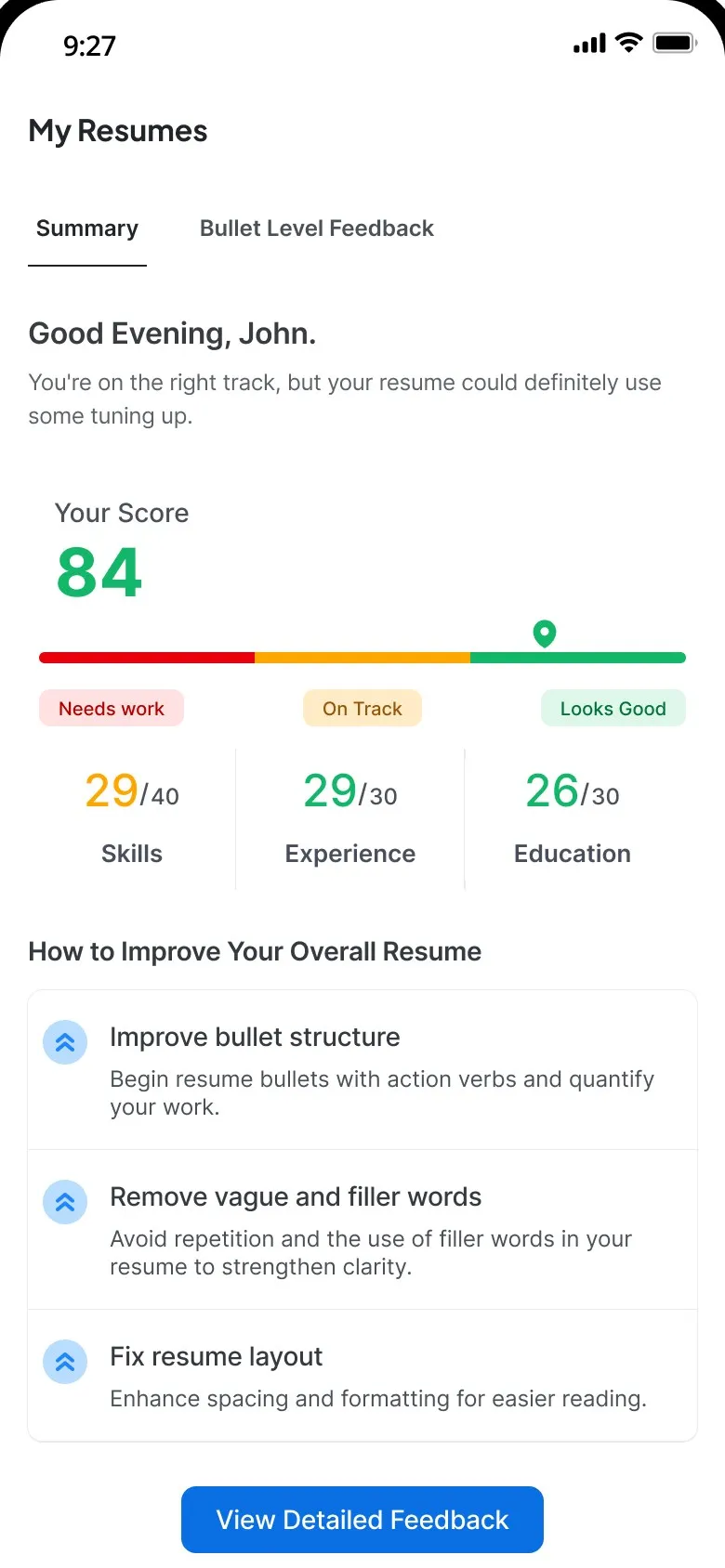
  1. The Summary tab: a score of 84, with skills at 29/40, experience at 29/30 and education at 26/30, then three ways to improve: bullet structure, filler words and layout

    The resume

    A score of 84, split into skills, experience and education.
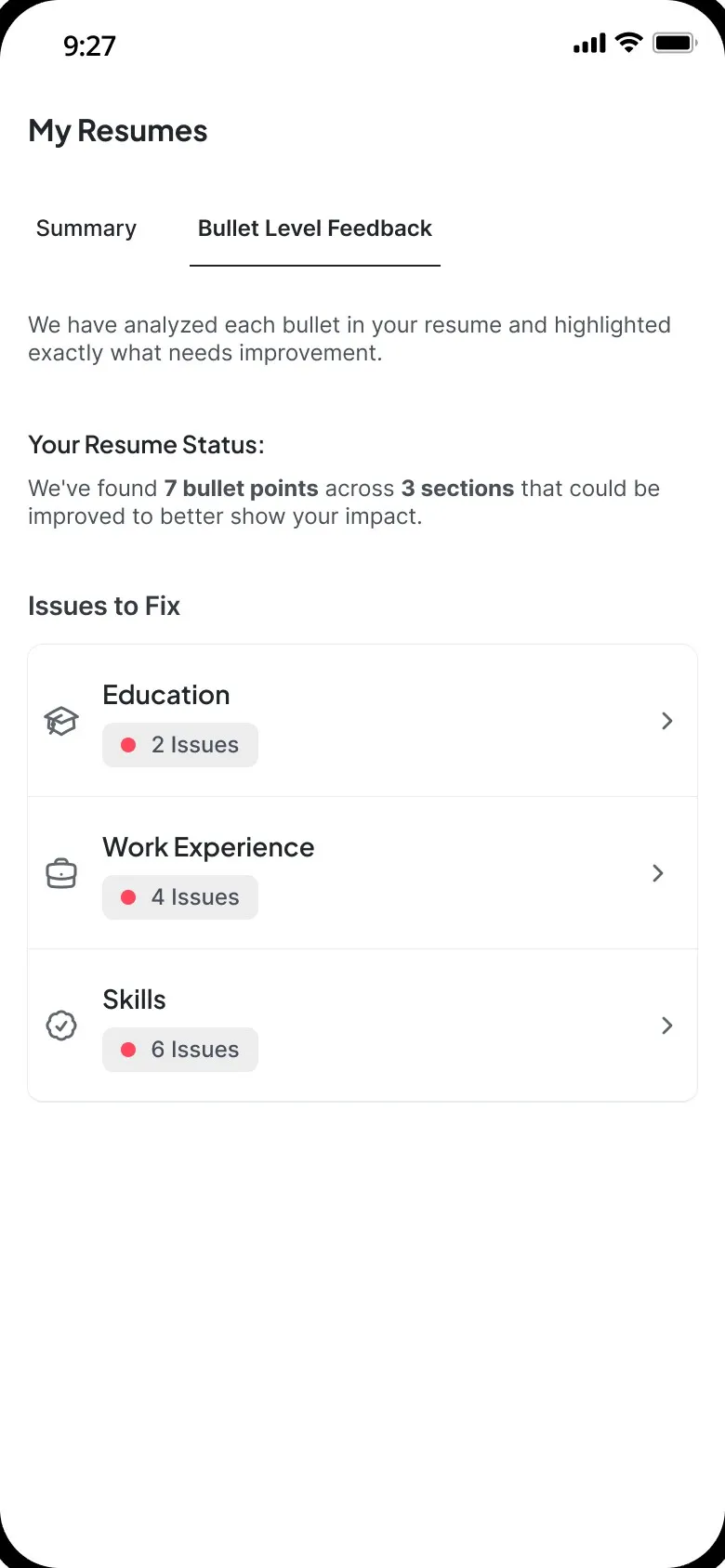
  2. The Bullet Level Feedback tab: 7 bullet points across 3 sections could better show impact, with 2 issues in Education, 4 in Work Experience and 6 in Skills

    A section

    7 bullets across 3 sections could show more impact.
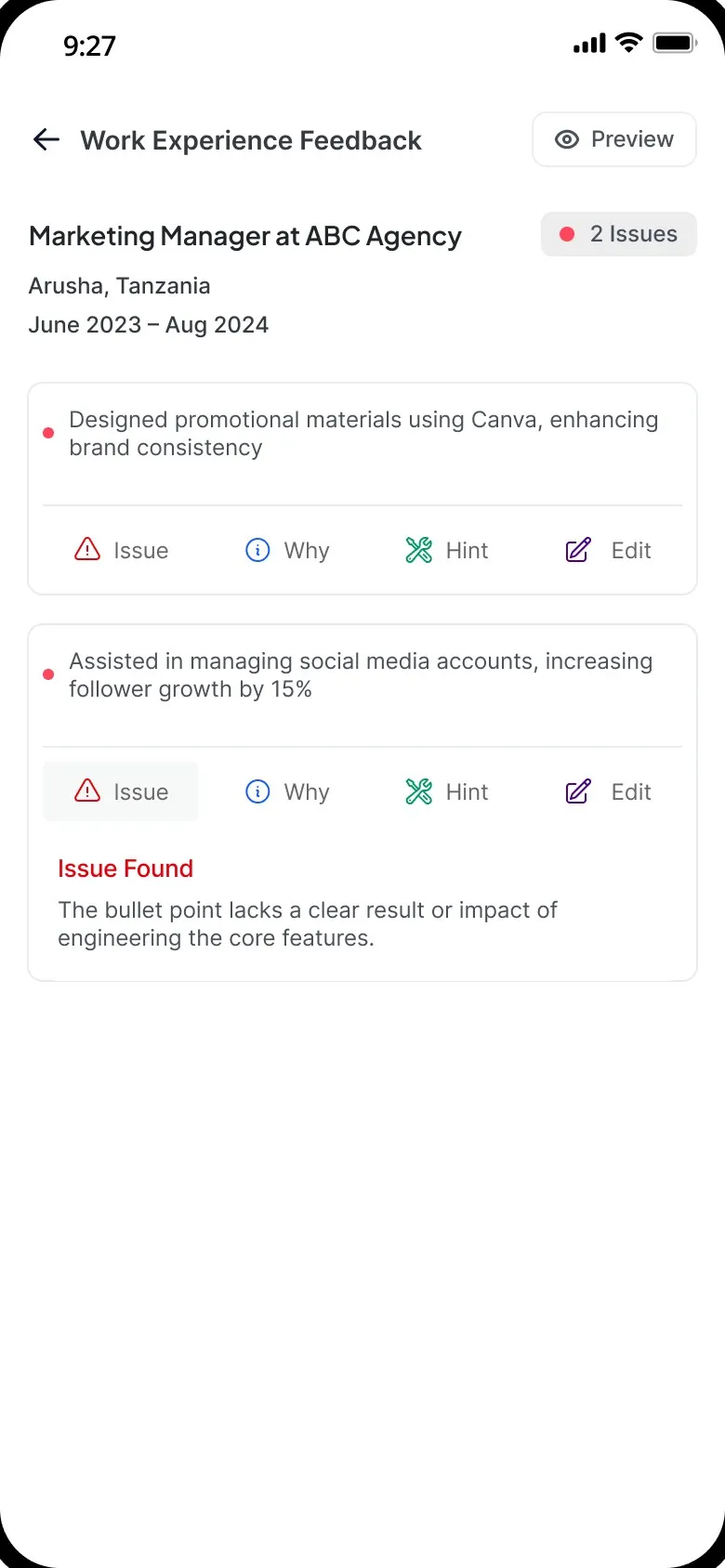
  3. Work Experience Feedback for a marketing manager at ABC Agency: a bullet about managing social media accounts, open on its Issue tab, which says it lacks a clear result or impact

    A bullet

    One line, and the issue holding it back.
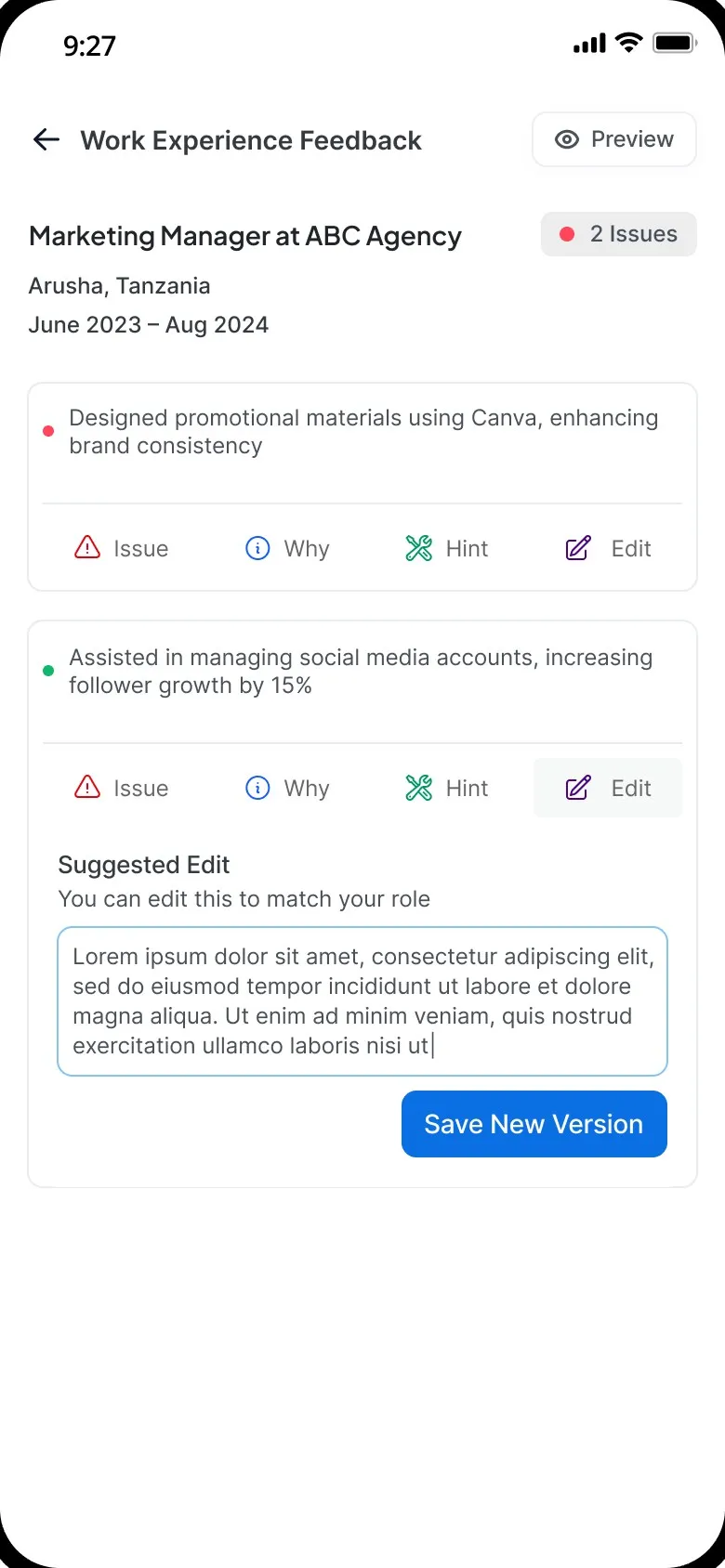
  4. The bullet on its Edit tab: a suggested edit to match the role, with Save New Version

    The fix

    A suggested edit to adjust and save.

From a number to a sentence you can fix.

Analysis steps

Hang tight. Here's what it's doing.

  1. Initializing · Processing

    It starts with how you feel.

    A quick confidence check, then one button: upload your resume.
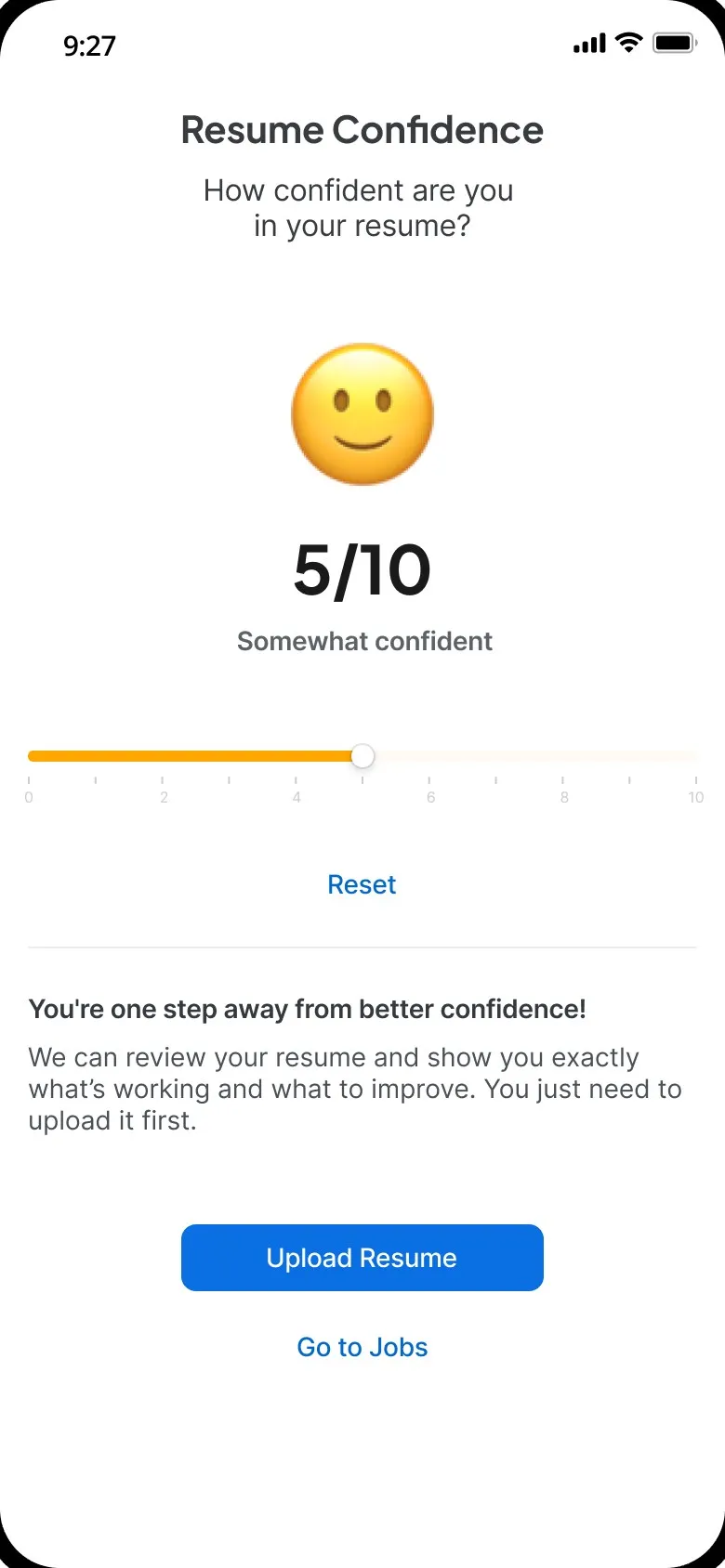
    Resume Confidence: how confident are you in your resume? 5/10, somewhat confident, set on a slider, then Upload Resume
  2. Identifying content · Bench-marking

    It reads every section.

    Skills, presentation and education are checked, with each step shown as it happens.
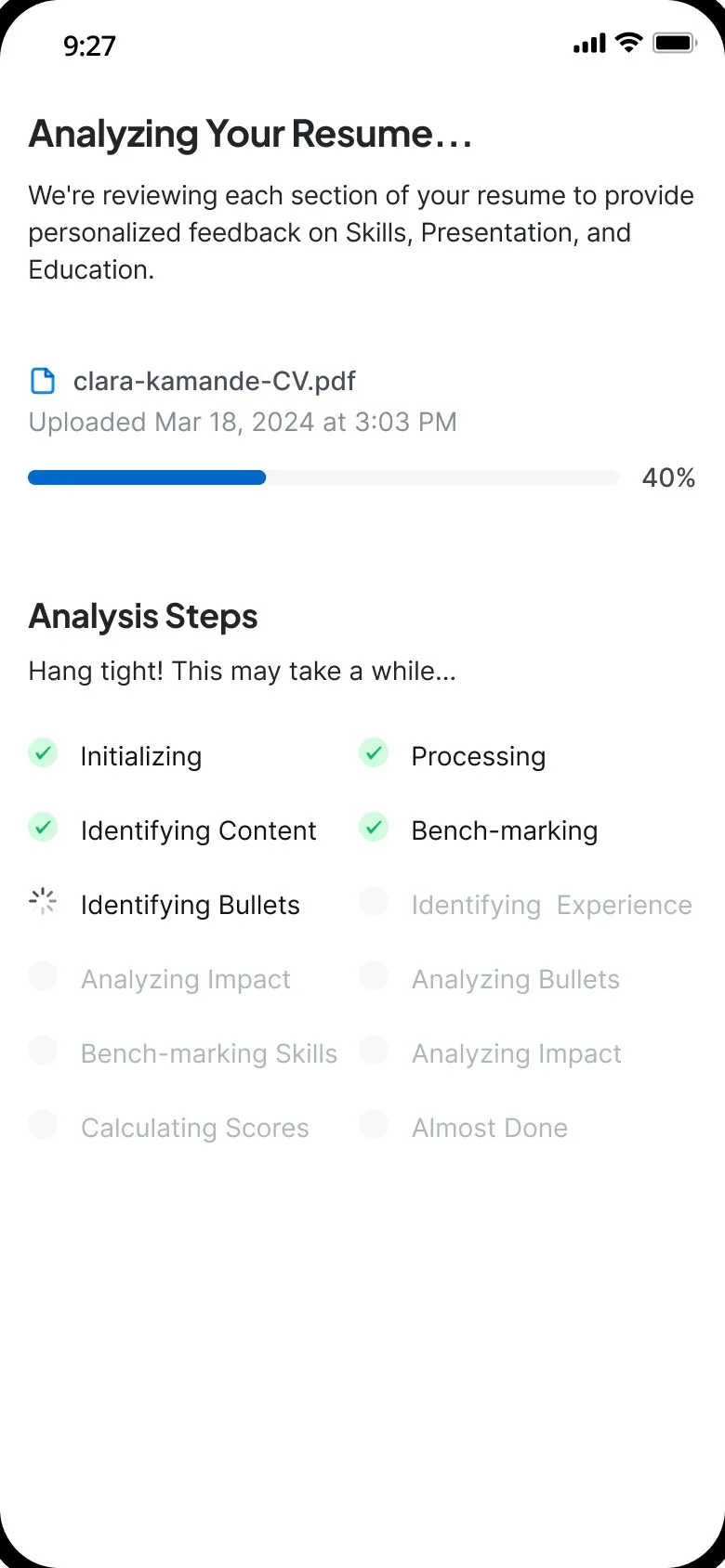
    Analyzing Your Resume: the uploaded CV at 40%, and the analysis steps, four ticked off and Identifying Bullets in progress
  3. Calculating scores

    Then it scores the whole thing.

    One number, split into skills, experience and education, with three ways to improve.

    The Summary tab: a score of 84, with skills at 29/40, experience at 29/30 and education at 26/30, then three ways to improve: bullet structure, filler words and layout
  4. Identifying bullets · Analyzing bullets

    It finds the bullets that need work.

    Each section shows how many issues it has, so people know where to start.

    The Bullet Level Feedback tab: 7 bullet points across 3 sections could better show impact, with 2 issues in Education, 4 in Work Experience and 6 in Skills
  5. Analyzing impact · Almost done

    And it shows how to fix them.

    Issue, why it matters, a hint, and a suggested edit for every bullet.

    The bullet on its Edit tab: a suggested edit to match the role, with Save New Version

Same zoom, bigger screen

On desktop, the bullet opens in one view.

The original line, the issue, why it matters, how to improve it, and a suggested edit to save as a new version.
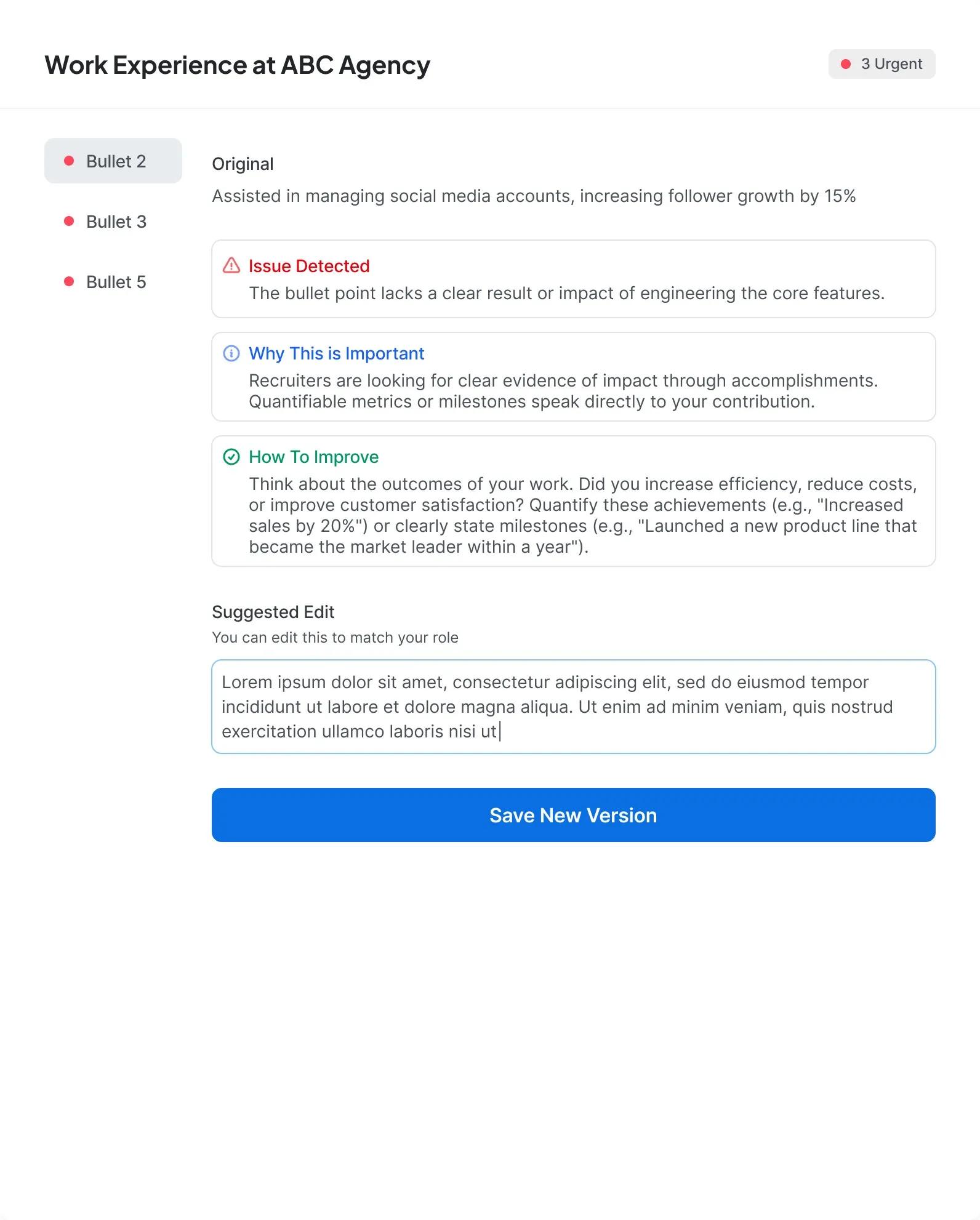

The bullet's feedback on desktop, in one modal beside the other bullets to fix: the original line about managing social media accounts, the issue detected, why it matters, how to improve it, and a suggested edit with Save New Version

Next project

Pride

A landing page for an ad-free music streaming service.

View project
Pride homepage: Music Without Limits over a listener in headphones, then The Hottest Tracks Of The Week: Only On Pride

Get in touch.

Let's build something people will actually use.

Contact information

Location

Nairobi, Kenya